

Eyeballing Geometry Is Not Analysis: Get Insight not Guesswork
Our new tool, DataDiver, is the right choice to simultaneously analyze a large number of simulations at the same time. The idea is, to use a reference geometry for visualization, so that only one model needs to be loaded. For crash analysis typical features are deformation and dislocation (see also a previous blog) evaluated on a segmented geometry (see corresponding method) leading to the advantages
-
small disc space to store project results,
-
fast evaluations → explore your data instead of waiting for results,
-
denoise due to smart and problem specific statistic aggregation.
Features can easily evaluated on chosen entities. The Animator4 Interface allows a intuitive selection. Statistical evaluations on chosen samples can be sent back to Animator4 to get deeper insight instead of abstract curves. The example shows 31 simulions of a parameter study. 4 parts where varied in thickness.
Several dimension reduction methods enable a fast assessment of global results. Instead of comparing part motions over time, the deformation and dislocation patterns are mapped on 2D.
In our example, 3 different behaviors can be identified within a few minutes without opening any specific simulation file. Now the main question is: Which parameter leads to this difference?
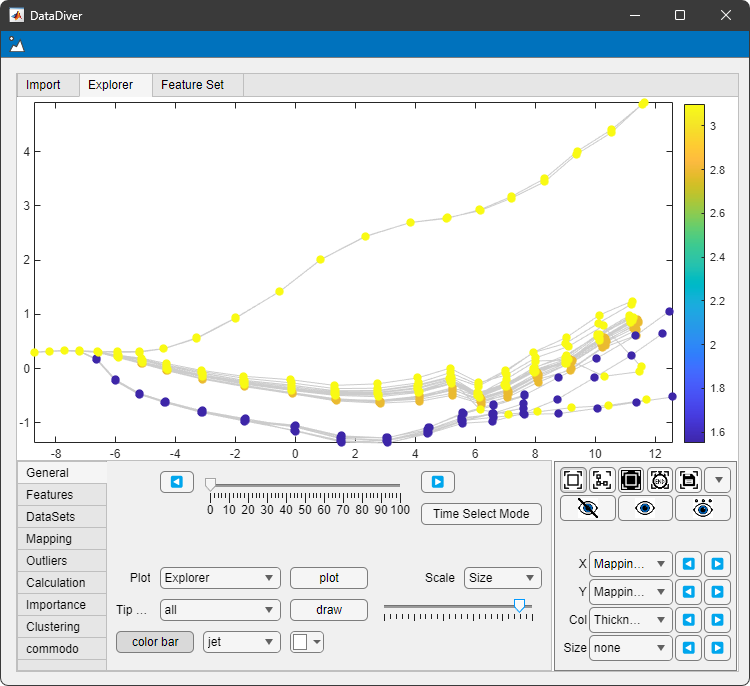 use datadiver for dimension reduction, shown are 31 simulations reduced to single curves
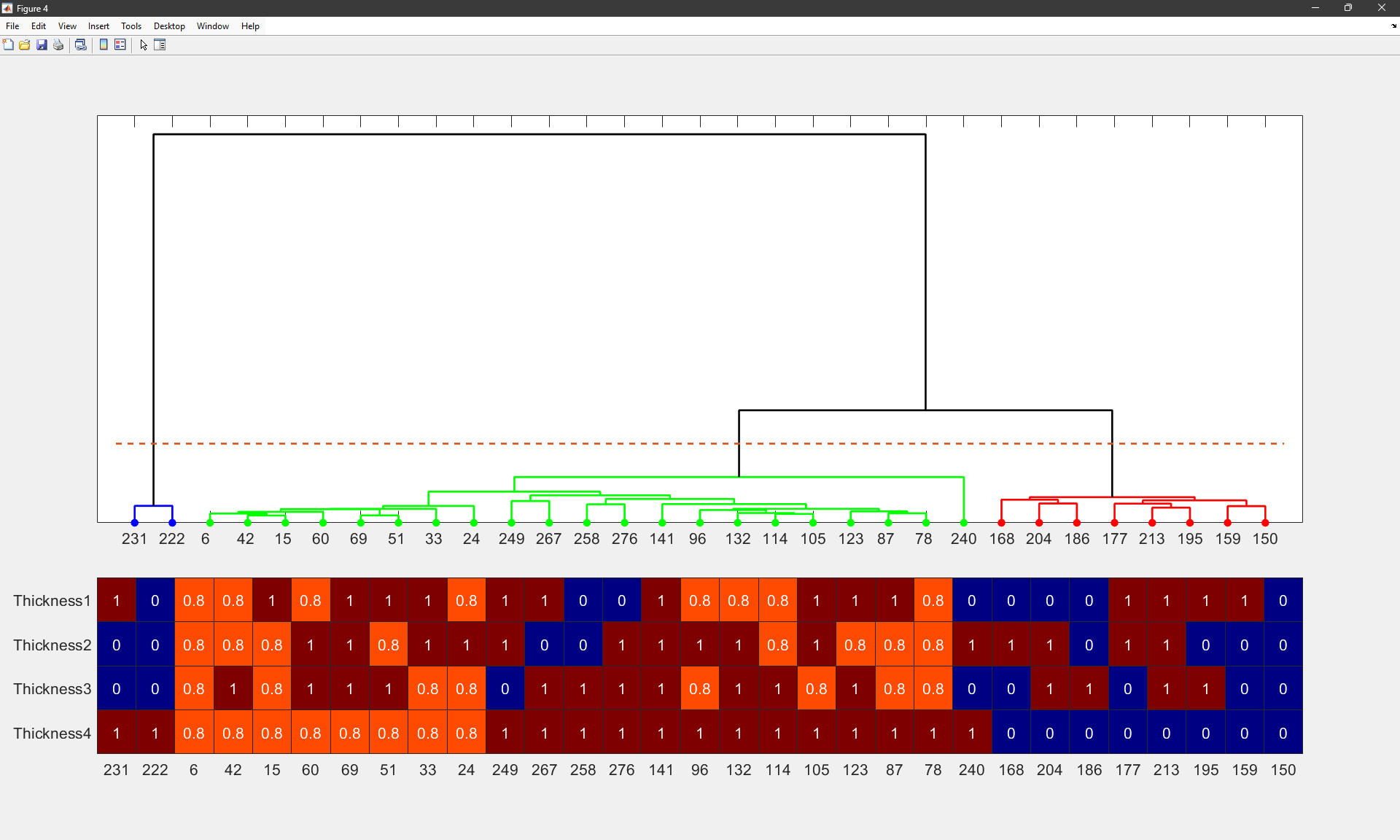 datadiver clustering to analyze different behaviour. input parameters are also plotted to find root causes
We do a quick clustering to analyze the simulation parameter patterns. The thickness of Part 4 is the leading parameter and separates cluster 1 and 2 from cluster 3. Combinations of the thicknesses from parts 2 and 3 let us separate all clusters.
This analysis can also be automated by proper feature importance methods.
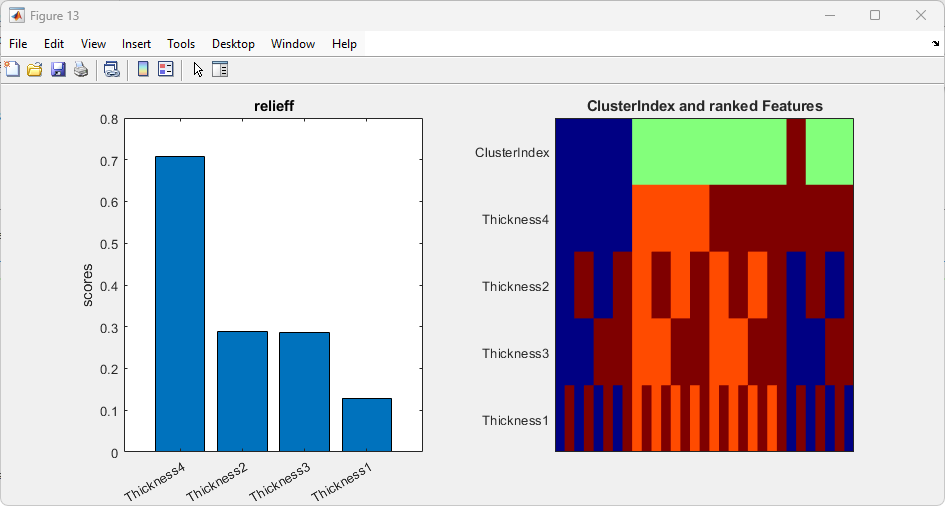 datadiver feature importance analysis to find link between parameters and simulation results
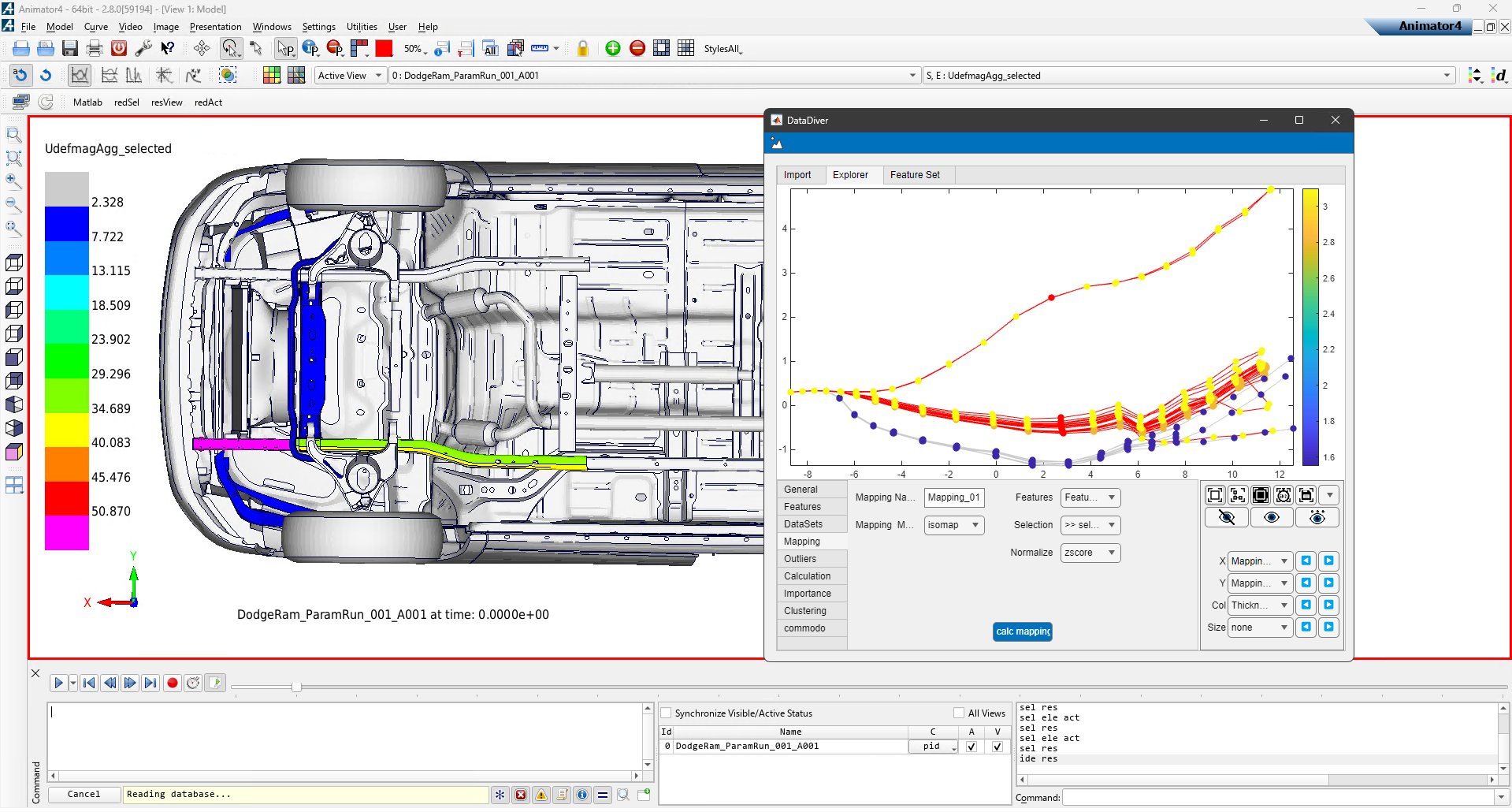 datadiver can interface to animator4 for selection and also plotting. only one reference is needed for plotting.
Using the Animator4 Interface we can also locate the differences.
The presented methods are not limited to simulation models with equal geometry. As described here, changing geometries are taken into account and the features are mapped accordingly.